You cannot protect an asset you do not know about
Forgotten subdomains, old test servers, exposed cloud buckets. Discovery runs continuously; every asset that appears or disappears reaches you as a change.
External Attack Surface Management (EASM)
Izpector continuously scans the internet-facing assets of your group companies and the organisations you work with, shows what has changed and who is affected by newly published critical vulnerabilities, and turns every finding, with its evidence, into a technical risk score.
Two-week demo · No installation · Apply with a corporate email address

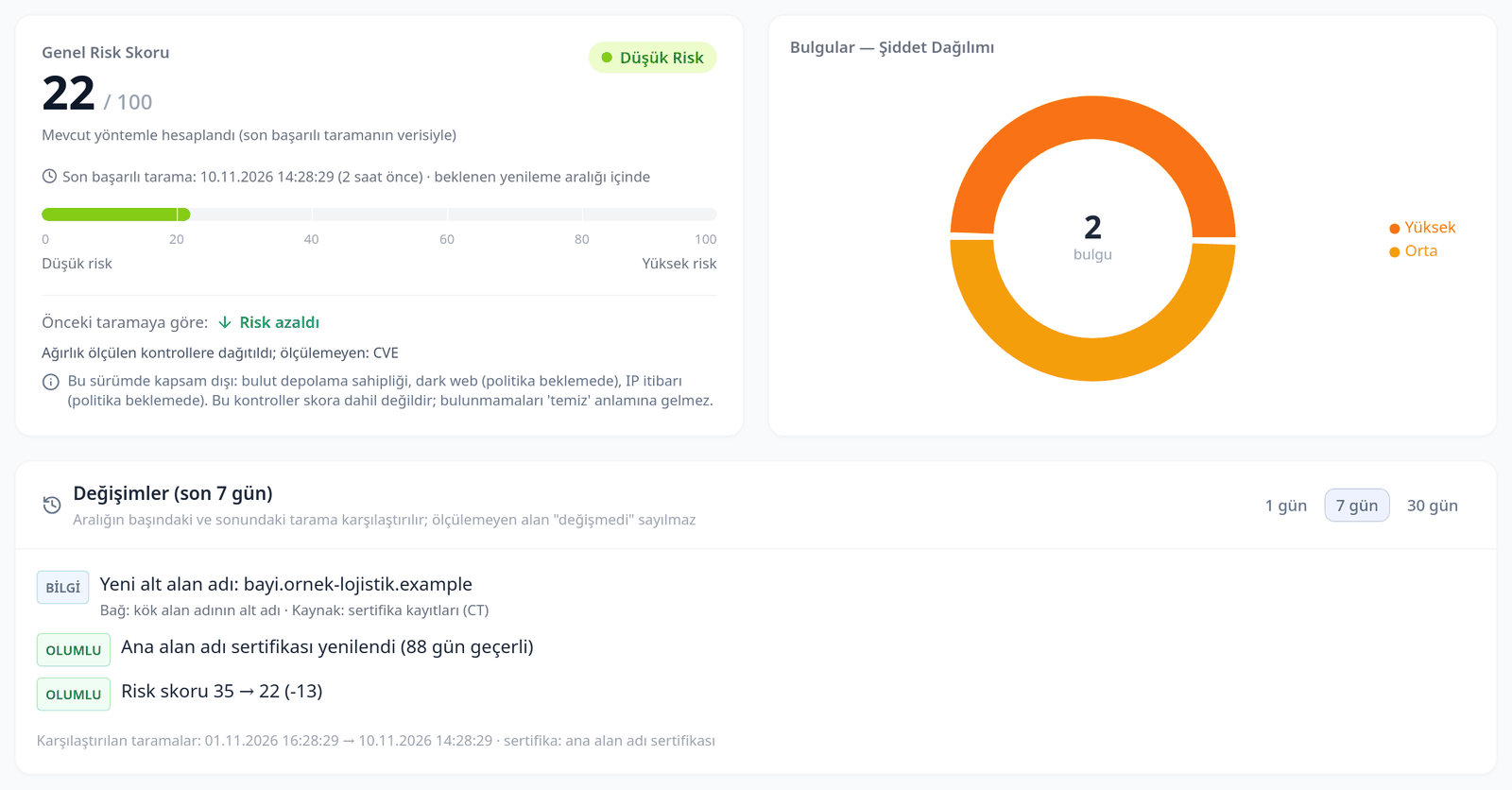
Illustrative example; not a real organisation. A higher score means higher risk.
Izpector platform
Score, finding severity and control categories come together in one view. See why the score is what it is and how many points each fix will gain; move from any finding to its evidence and action.
Forgotten subdomains, old test servers, exposed cloud buckets. Discovery runs continuously; every asset that appears or disappears reaches you as a change.
The raw HTTP header, the TCP banner, the external service queried and the scan timestamp sit next to the finding. Not our claim — the system’s own statement.
If a check did not run, the platform does not report it as clean — it says plainly that it was not scanned. False confidence is as dangerous as the vulnerability itself.

Every paid package gets the same coverage. Packages differ in capacity, not in scanning depth.
Subdomains, DNS records, WHOIS and certificate transparency logs; new and vanished assets in a "what changed this week" view
Open ports, service and version banners; newly opened risky ports (e.g. RDP) are flagged separately — subject to permission
Encryption configuration, weak settings and early warning for certificates about to expire
HTTP security headers, cookie settings, WAF/CDN detection; presence and strength of SPF, DKIM and DMARC records
Which of your suppliers a newly published critical CVE affects, and with which version, on the same day; correlation with global vulnerability and exploitation intelligence, with candidate matches from the vendor record before official analysis is complete
Versions of client-side components and their known vulnerabilities
API keys exposed in JavaScript files, reachable .env / .git files on subdomains, exposed admin panels and addresses found in data breaches
Detection of exposed object storage buckets
Signals from global intelligence sources
Combines findings such as an exposed admin panel, an old version with a known vulnerability and a leaked key to show the shortest way into a supplier

Enter the root domain you want to monitor. Subdomains and related assets are discovered automatically.
Checks that require active scanning run only on assets you have authorized, with the approval reference recorded.
The platform scans assets regularly, produces a "what changed this week" summary and lists affected suppliers on the same day a critical CVE is published.
See why the score is what it is and how many points each fix will gain. Turn findings into cases; prepare an executive summary and an evidence-based remediation message to the supplier with AI, and share the PDF report.
Izpector produces technical risk indicators from information reachable from outside the target systems. We state up front what falls outside that scope:
When a target system does not disclose version information, or official analysis of a new CVE is not yet complete, correlation is performed on the vendor record and product name and the finding is labelled "candidate" — a candidate for review, not a confirmed vulnerability.
Same scanning coverage, same daily frequency and the same 12 months of history in every package. The difference is capacity.
Group companies
Pricing on request
Group companies + organizations
Pricing on request
Group companies + organizations
Pricing on request
For more than 100 domains, or for on-premises deployment, please get in touch. Prices are in USD and exclude VAT.
izpector Ltd. Sti was founded in June 2026. We help organizations monitor their external attack surface, understand security findings and track technical risks.
Muminderesi Yolu. Rustemoglu Ap.No:42 D:12 Kadikoy - ISTANBUL
No installation. Apply with your corporate email address and your account opens once you confirm it.
